
React Native Apps Built Around Your Product, Not Just Its Screens
React Native lets teams build iOS and Android applications with React and JavaScript or TypeScript, while rendering platform-native interface components. It can be a practical choice when product logic and user journeys can be shared without forcing every platform interaction to be identical.
Bixeltek approaches React Native projects around the workflows users need to complete, the systems the app must connect to and the constraints that shape release and maintenance. The framework is a starting point; the product architecture and delivery decisions are what make the app workable after launch.
Start with the required user journeys, integrations and platform constraints. Then choose the implementation approach that fits.
Trusted by businesses
across India, North America and Saudi Arabia
























Reuse Product Logic. Respect the Platform Where It Matters.
React Native brings the React programming model to native mobile apps. Teams can use JavaScript or TypeScript for much of the application logic and interface composition, while React Native maps components to native platform views rather than simply displaying a website inside a WebView.
That model is useful when iOS and Android share important workflows, when a team benefits from React knowledge, or when common validation and API logic should remain aligned. It does not mean the entire codebase will be identical or that platform work disappears. Permissions, native SDKs, operating-system conventions, build configuration and testing still need to be planned.
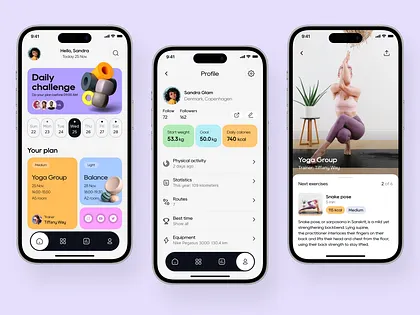
Where Cross-Platform Apps Fall Down Without Careful Planning
React Native lets you share UI and logic across iOS and Android, but production success depends on how you handle architecture, data flow, device features, and release testing.
The Team Has React Skills, but No Mobile Delivery Plan
React experience provides a useful starting point, but a mobile product still needs navigation, application lifecycle handling, native permissions, device testing, build configuration and a release process. Treating mobile as web UI inside a new shell can leave those concerns unresolved until late in delivery.
The Same Business Rule Is Being Rebuilt in Separate Apps
When account rules, validation or core workflows are maintained independently for iOS and Android, the two versions can drift. React Native can share appropriate logic, but the project still needs clear boundaries for platform-specific components and behaviour.
A Required SDK Changes the Technical Plan Late
Payments, identity verification, maps, Bluetooth hardware, biometrics or a vendor-specific SDK may require native code, a development build or additional configuration. Confirming compatibility before committing to a delivery plan reduces the chance of discovering a critical blocker after interface work is underway.
The App Looks Correct in Development but Struggles on Real Devices
Large lists, image-heavy screens, repeated rendering, network delays and memory pressure can make a product feel sluggish. Performance needs to be assessed in release builds on representative devices rather than inferred from a fast developer machine or a development session.
A Successful API Response Is Mistaken for a Finished Workflow
A screen can receive data and still fail the real task when sessions expire, requests are retried, two users update the same record or the connection disappears mid-action. Mobile behaviour should be designed around loading, empty, error, stale-data and confirmation states-not just the ideal response.
The First Release Has No Clear Owner for Updates
The team needs to know who maintains dependencies, monitors crashes, manages app signing and handles new operating-system requirements. Some eligible JavaScript or asset changes may use an over-the-air update path, but native-code changes and store policies can still require a new binary and review.
Complete React Native Engineering From Discovery to Store Release
We build purposeful React Native applications across iOS and Android, scoped around your users' actual workflows, device capabilities, and backend requirements.
Product Discovery & First-Release Definition
Map the main users, tasks, platform targets and operational dependencies before development. Separate launch-critical workflows from optional features, and turn unknowns-such as SDK feasibility, API availability or offline needs-into explicit questions to resolve before effort is estimated.
React Native App Development for iOS & Android
Build the agreed application flows using React Native and JavaScript or TypeScript, sharing components and business logic where doing so benefits maintainability. Keep platform-specific behaviour isolated where navigation, permissions, SDK support or interaction conventions justify a different implementation.
Expo & Project Configuration
Evaluate Expo and its development/build workflow against the product's native requirements, dependency choices and release needs. Expo can support apps that require custom native code; the important question is whether the required modules and configuration are compatible with the intended workflow. A non-Expo setup may be appropriate for some existing or constrained projects.
Mobile UX, Navigation & State Management
Structure routes, navigation, forms, session states and shared UI around how people complete real tasks on a phone. Select state and data-fetching patterns to fit the product's complexity; avoid adding libraries simply because they are popular, and avoid placing all business rules inside screen components.
Backend APIs, Authentication & Data Flows
Connect the app to existing services or separately scoped backend work. Confirm API contracts, authentication and session renewal, authorization rules, pagination, retry behaviour and how the interface responds to failures. Client-side controls should not be treated as a substitute for server-side access enforcement.
Native SDKs & Device Capabilities
Assess the required camera, location, biometrics, push notifications, maps, Bluetooth, payment or vendor SDK integrations. The implementation may rely on a maintained React Native library, Expo module, configuration plugin or custom Swift/Kotlin code. Feasibility depends on the exact feature, library support and target platforms.
Performance, Testing & Diagnostics
Validate important flows on representative devices and release builds. Test slow networks, large lists, image handling, session expiry, permissions and error recovery where they matter to the product. Automated tests can improve confidence, but JavaScript component tests do not replace end-to-end checks on actual platform behaviour.
Builds, Store Release & Maintenance Handover
Prepare the agreed build configuration, signing and release checklist, store metadata responsibilities and handover documentation. Define who owns dependency upgrades, crash investigation, certificates, platform compatibility and future releases. Store acceptance is controlled by Apple and Google, and any ongoing support or update service must be scoped explicitly.
Key Architectural Choices to Resolve Early
A successful React Native product requires clear decisions around Expo workflows, code sharing, state boundaries, device profiling, and long-term release ownership.
- 01
Expo or Custom Native Setup?
Expo suits most React Native projects, but native SDKs and custom modules may affect the setup. Validate integrations, build requirements and update constraints before choosing the workflow.
- 02
What Should Be Shared Across Platforms?
React Native shares business logic and UI while supporting platform-specific implementations. Reuse common code and isolate platform differences where needed for usability or native behaviour.
- 03
How Should App Architecture Be Structured?
Mixing UI, API calls, business logic and state makes growing apps harder to maintain. Separate responsibilities and choose navigation, data-fetching and state tools based on actual needs.
- 04
How Will Performance and Releases Be Managed?
Performance varies by device and workload; native changes may require a new app build. Test release builds on real devices and define update, rollout and rollback procedures early.
We resolve these questions during discovery so that delivery proceeds with clear technical boundaries.
Compare General Mobile App OptionsWhere React Native Applications Deliver Practical Product Value
From existing web-to-mobile products and booking self-service to commerce and field operations, React Native is effective when common workflows benefit from a shared codebase.
A Mobile Product for an Existing React Business
A business already has a React-based web product and wants customers or staff to complete high-value tasks on mobile, rather than asking people to use a small-screen browser for every interaction. Identify what can genuinely be shared-such as TypeScript types, validation rules and API clients-and what must be built for native navigation, accessibility, device APIs and mobile interaction. Web components should not be assumed to run unchanged inside React Native.
Booking, Appointment & Customer Self-Service Apps
Customers need to make or change bookings, manage their profile, receive relevant updates and check status without repeatedly contacting staff. Booking availability and confirmation must be based on the authoritative backend. Handle stale slots, duplicate submissions, time zones, authentication expiry and notification preferences as part of the customer journey.
Field Operations & Workforce Apps
Employees need to view assigned jobs, capture photos or notes, update statuses and record activity while moving between locations or working with unreliable connectivity. Define which information must be available offline, how local changes are queued, what happens when two people change the same record, and how device permissions and uploads behave when an app is backgrounded or interrupted.
Commerce, Loyalty & Repeat-Purchase Apps
A retailer or subscription business wants a dedicated channel for product discovery, saved items, offers, purchases, order status or customer loyalty interactions. Keep product, price, stock, discount and order state authoritative in the agreed commerce/backend system. Checkout, payment SDKs, deep links and push messages should be tested across completed, cancelled, pending and failed transaction states.
Marketplace & On-Demand Service Products
Customers, service providers and operations staff need separate views of one workflow-for example, request creation, provider assignment, status updates and completion. Define role-specific access, state transitions, location or messaging requirements, cancellation rules and what each user is allowed to see or change. Real-time updates should handle reconnects and out-of-order events where applicable.
Account-Based Services & Subscription Products
Users return to manage a plan, review usage, access paid functionality, renew a service or continue a task across sessions and devices. Agree how identity, entitlements, billing state, account recovery and cross-device data are managed. Where app-store billing rules may apply, review the business model and target markets before deciding on payment implementation.
A Methodical, Journey-First Approach to React Native Engineering
From workflow discovery and architecture validation to incremental feature builds, multi-device testing, and store submission.
Discover the Product and Its Constraints
Identify target users, essential journeys, platforms, backend readiness, critical device capabilities and the business outcome the app should support. Record assumptions and risk areas before locking the framework setup or launch scope.
Define the First Release and Architecture
Turn the main journeys into an ordered release scope. Agree on API boundaries, authentication, data ownership, navigation, state management, analytics needs and the approach for platform-specific code; prototype integrations that could change the plan.
Design the Mobile Journeys
Specify navigation and the states around each important task: initial, loading, empty, validation error, failed request, success, retry and cancellation. Adapt components to platform expectations instead of translating desktop screens directly to phone layouts.
Prepare Release and Define Ownership
Confirm signing, environment configuration, store requirements, privacy disclosures, release checks and rollback/incident responsibilities. Handover should make clear who owns monitoring, SDK updates, compatibility fixes and future product changes after launch.
Verify Critical Flows on Real Devices
Test representative iOS and Android devices, release builds, permissions, session expiry, network interruptions and high-risk interactions. Use automated tests where they provide repeatable confidence, then profile and fix observed performance problems.
Build Features and Connect Systems
Implement prioritized flows in reviewable increments, connecting them to agreed APIs and device services. Keep business rules testable, validate response/error contracts and flag changes to backend or third-party dependencies before they become late-stage surprises.
Discover the Product and Its Constraints
Identify target users, essential journeys, platforms, backend readiness, critical device capabilities and the business outcome the app should support. Record assumptions and risk areas before locking the framework setup or launch scope.
Define the First Release and Architecture
Turn the main journeys into an ordered release scope. Agree on API boundaries, authentication, data ownership, navigation, state management, analytics needs and the approach for platform-specific code; prototype integrations that could change the plan.
Design the Mobile Journeys
Specify navigation and the states around each important task: initial, loading, empty, validation error, failed request, success, retry and cancellation. Adapt components to platform expectations instead of translating desktop screens directly to phone layouts.
Build Features and Connect Systems
Implement prioritized flows in reviewable increments, connecting them to agreed APIs and device services. Keep business rules testable, validate response/error contracts and flag changes to backend or third-party dependencies before they become late-stage surprises.
Verify Critical Flows on Real Devices
Test representative iOS and Android devices, release builds, permissions, session expiry, network interruptions and high-risk interactions. Use automated tests where they provide repeatable confidence, then profile and fix observed performance problems.
Prepare Release and Define Ownership
Confirm signing, environment configuration, store requirements, privacy disclosures, release checks and rollback/incident responsibilities. Handover should make clear who owns monitoring, SDK updates, compatibility fixes and future product changes after launch.
We validate critical user journeys, API failure handling, offline states, and platform permissions across iOS and Android before release.
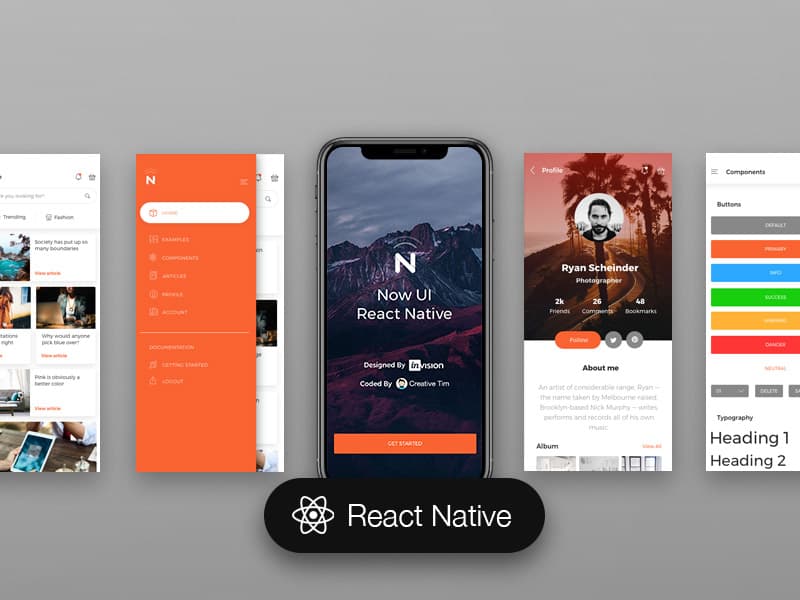
Mobile Engineering Connected to the Product Around It
A React Native app rarely succeeds as an isolated client. Its usefulness depends on how well the user journeys, APIs, account rules, web experience and release responsibilities fit together. Bixeltek's broader web and digital-product context is relevant when those parts need to be considered as one system.
- We Start With the Product Requirement, Not the Framework
The first decision is what users need to do and why a dedicated app is justified. React Native should be selected because its strengths fit the product-not because cross-platform is automatically the answer.
- We Treat API and Data Boundaries as Product Decisions
Authentication, permissions, errors, stale data and transaction state affect how the app feels to use. These flows need to be defined alongside the screens, with server-side rules remaining authoritative where required.
- We Share Code Deliberately
Shared components and logic are valuable when they reduce drift and simplify change. We should not force identical behaviour where iOS, Android or a device integration requires a different interaction.
- We Surface High-Risk Integrations Early
A critical SDK, device permission or background workflow can change the technical plan. Compatibility checks and focused prototypes belong early in discovery when they can still inform scope and estimates.
- We Validate Behaviour Beyond the Happy Path
A completed screen is not enough if a session expires, a network request fails or a user denies a permission. Testing should cover the workflows and failure states most likely to affect real users.
- We Make Post-Launch Responsibility Clear
Dependencies, certificates, operating-system updates and production issues continue after launch. The project should identify the owner of each ongoing responsibility and make any separate maintenance arrangement explicit.
Common Questions About React Native App Development
Let's Find Out Whether React Native Fits Your App
Tell us what users need to do, which platforms matter, what systems the app must connect to and which device capabilities are essential. We can use those requirements to identify a realistic first release, validate technical risks and compare the delivery approach before the scope is locked.
React Native & TypeScript
Modern component architecture sharing core workflows and business logic across iOS and Android.
Expo & EAS Build
Production-ready tooling, config plugins, custom dev clients, and automated cloud compilation.
iOS & Android Targets
Platform-native view mapping with compliance for Apple App Store and Google Play guidelines.
REST & GraphQL APIs
Predictable state synchronization, session handling, token refresh, and resilient offline queues.
Native Modules & Bridges
Swift/Kotlin bridging for camera, geolocation, biometric authentication, and Bluetooth hardware.
Automated QA & Diagnostics
Unit and component verification, device profiling, crash reporting, and store release checklists.
By submitting the form above, you consent to receive informational SMS and SMS-based appointment reminders from Bixeltek at the phone number provided. Msg & data rates may apply. Msg frequency varies. Unsubscribe at any time by replying STOP. Reply HELP for help. Privacy Policy & Terms.